Tuesday, January 7, 2014

For Just One Day


Working with first graders is so fun.  They are willing to try anything!  After meeting with first grade teachers Mrs. Coss and Mrs. Trost, we decided that we needed to get the first graders using Google Apps.  We came up with a project idea that would be fun and simple and would have our first graders using Google Mail and Drive.   I used our subscription to TumbleBook Library to find a story to use and I found a great book, For Just One Day by Laura Leuck. The child in the story imagines that he is all different kinds of animals for just one day.  First graders love animals and using their imagination!


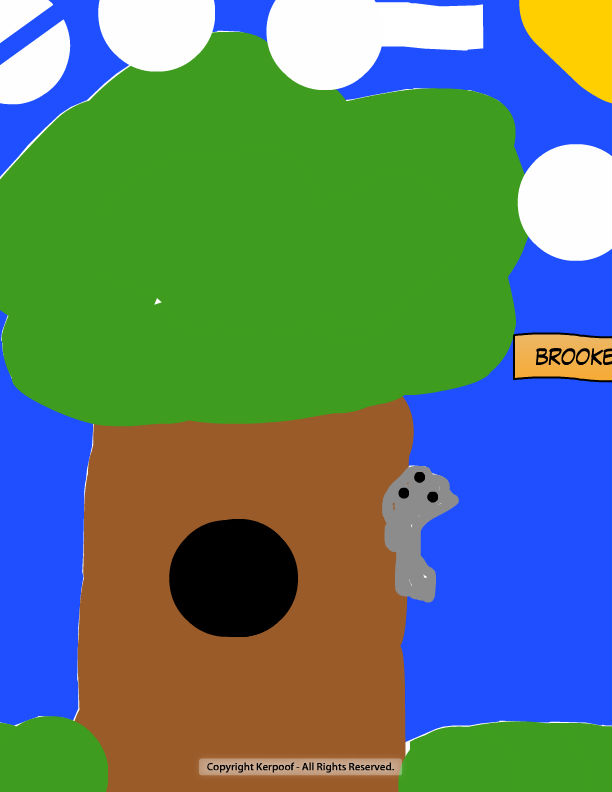
After listening to the story, I had the first graders log in to Kerpoof, which they have been using already, and draw a picture of an animal they would like to be for just one day.  Here is Brooke's squirrel.


 The next time we met I had already created a template and shared it with them.  Both classes worked really hard that day. We logged into our Google accounts for the first time, found the email from me and opened the template up.  I then showed them how we were all on the same document but that we each needed to make our own copy.  They got right to work typing their piece.


Here is Brooke's finished piece.


The next time we met I  worked with small groups of students to save the pictures they made in Kerpoof as a JPEG and insert those into their Google Drive piece.  The students then shared their stories with me.  I used my FlipSnack EDU account to put all of their stories into an online flip book.  Here are the links to each class book.  Enjoy!

Mrs. Coss
Mrs. Trost


          Brady sharing his story with the class.

Thursday, December 19, 2013

Holidays With Kerpoof and Pebble Go

The past few weeks the kindergarten students have been learning about different holidays celebrated in December.  We used the database, Pebble Go and read stories about Hanukkah, Kwanzaa and Christmas.  After each learning experience, the students drew pictures of what they thought each holiday looked like using the online tool, Kerpoof.  We all had a lot of fun.
Happy Holidays!


Students drawing their Christmas pictures.
Pebble Go article

Friday, December 13, 2013

Science Labs

Second grade students have been writing science lab reports during writer's workshop.  I met with their teachers, Mrs. Siewert and Mrs. Woyahn to discuss ways to address their writing targets and some of the ISTE Standards for Students.  We decided to publish the student science lab reports into an online flip book.  I've just started using the website FlipSnack EDU this year and I love how easy it is to use.

Student's writer's notebook

After the students wrote a few experiments, they chose one they wanted to publish. With the teachers' help I came up with a template in Google Docs that I shared with all of them.  They each made a copy and started working.


Every good science lab has a labeled illustration.  This is where we got to use one of our favorite online tools, Kerpoof. Each student drew an illustration to go with their lab.  Kerpoof gives you the option of saving your picture as a JPEG.  The students were then able to upload their pictures to their Google Drive and insert it into their science lab.

Students then shared their lab with me and I uploaded them all to my FlipSnack EDU account.  Below are the links to each classroom's book.  Enjoy!


Monday, December 2, 2013

Colonial America

5th graders are learning about the 13 Colonies in social studies. Their teacher, Mr. Suhr, wanted them to focus on one colony, learn all they could about it and then promote it to the rest of the class as the colony to move to from England.  Students used their textbooks and some online sites to research one of the colonies. Here is what they used to take notes.

Mr. Suhr wanted to expose the 5th graders to a different tool to show their learning.  We both thought that the online flyer site, Smore, would work great for this.  Mr. Suhr made an example and I showed the students the basics of how the site works.  They took off from there!
                                
After they were finished with their flyers, I created a Google site to house them.  Students each linked their flyer to the site.

Here's an example of one of their flyers.  This flyer is making me think about moving, especially since this weekend it's going to be bitterly cold in Wisconsin!